How It Works
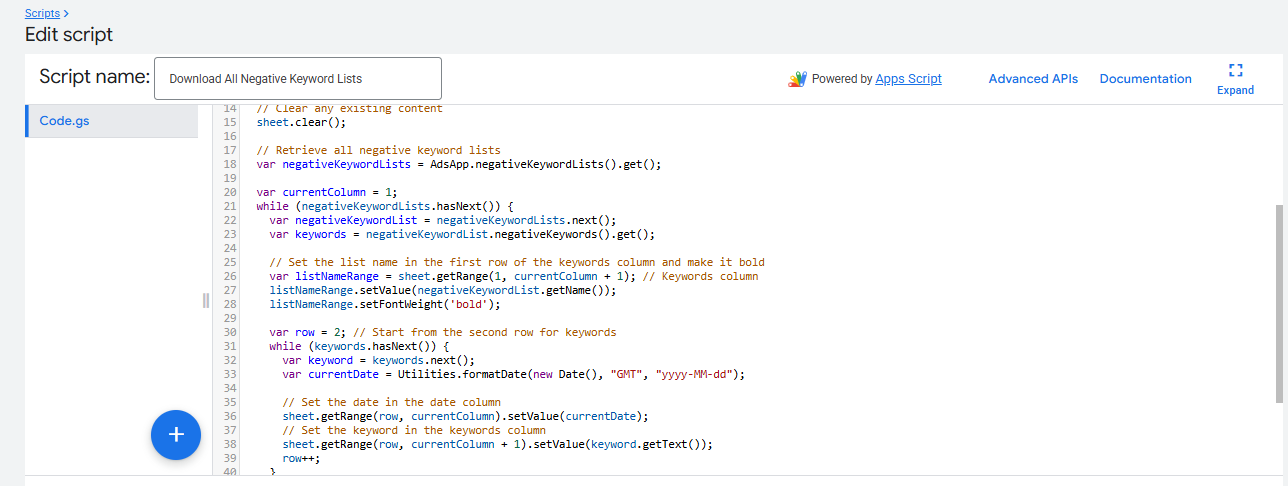
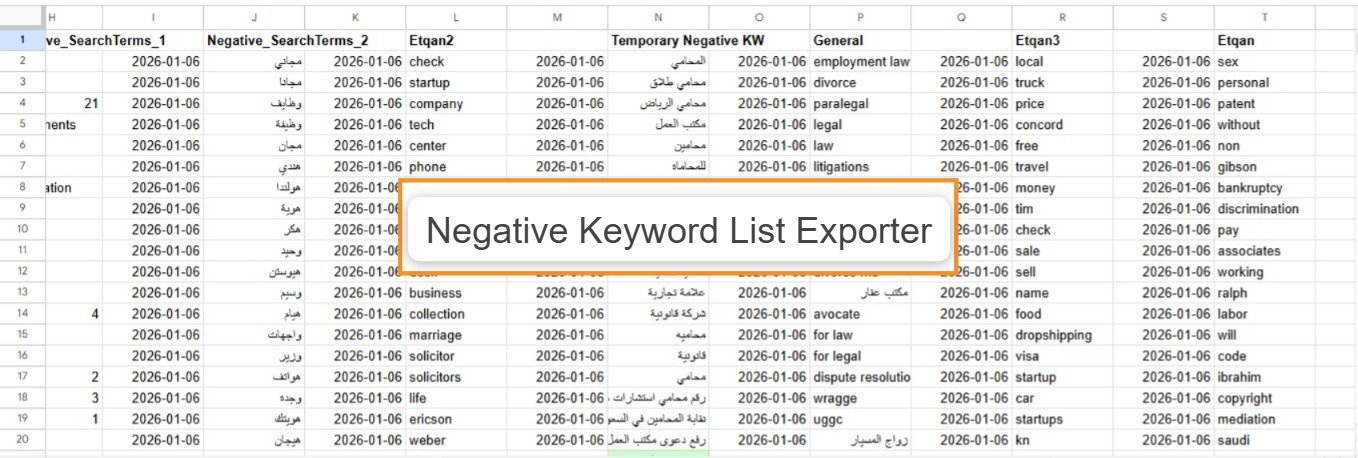
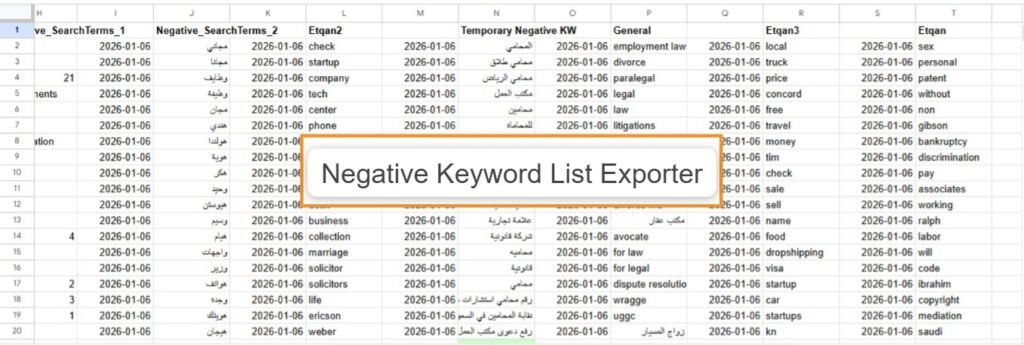
Securely backup your account's safety net. This script connects directly to your Google Ads account, retrieves every Shared Negative Keyword List, and exports them into a clean, formatted Google Sheet.
Organized Output
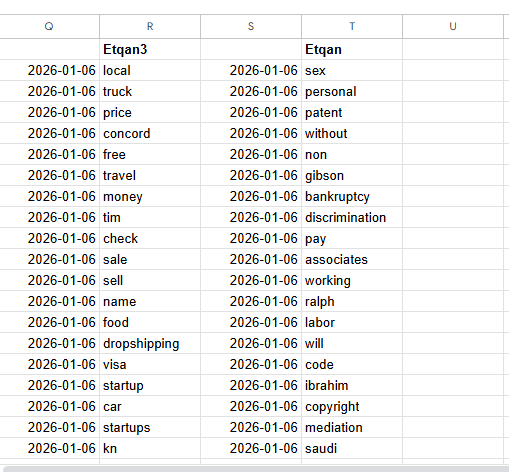
Forget messy downloads. The exporter creates a dedicated column for every negative keyword list. It stamps every entry with the current date, making it easy to track when specific terms were added for compliance or auditing.
Visual Cues
The script automatically formats the output for readability:
- Bold Headers: Identifies list names instantly.
- Color Coding: Highlights the final keyword in each list with a green tag, ensuring you know exactly where one list ends and the empty space begins.
Google Ads Automation
Negative Keyword List Exporter
Downloads all negative keyword lists from the account into a spreadsheet for easy review, sharing, and updates. Includes date stamping and auto-formatting for instant clarity.
Script Capabilities
- Platform: Google Ads Scripts
- Output: Google Sheets
- Scope: All Negative Lists
- Feature: Date Stamping
- Visuals: Auto-Highlighting
More Google Ads Scripts
Google Ads
Google Ads
Google Ads
Google Ads
Google Ads
Google Ads
Google Ads
Google Ads