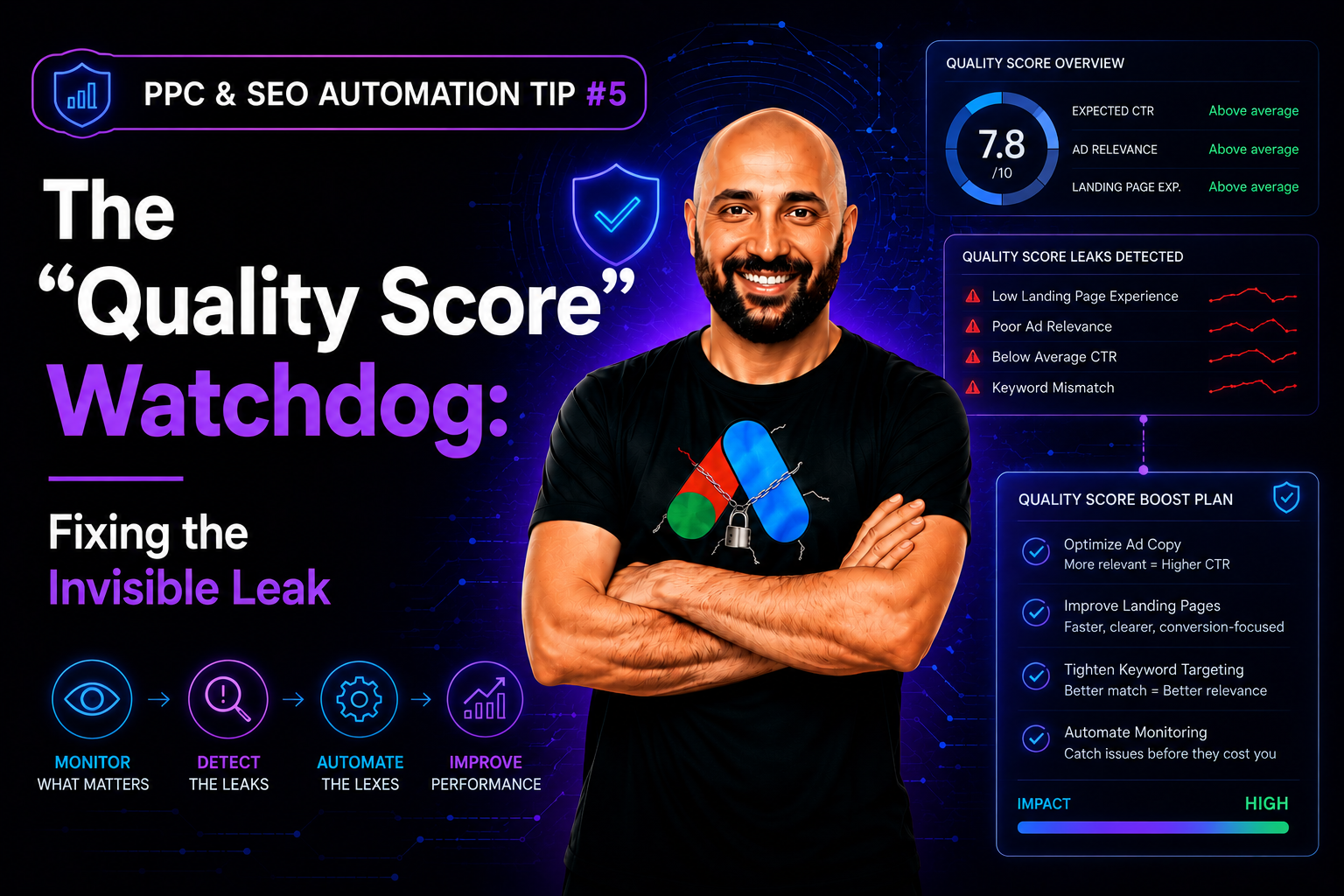
In Google Ads, Quality Score (QS) is the single most important metric that determines your Cost Per Click. A drop from QS 10 to QS 5 can double your costs overnight — a pattern our team at PPC & SEO Automation Lab sees on almost every account before a proper quality score tracker is in place. Yet, most advertisers only check this metric once a month, or worse, only when they notice their budget is bleeding.
By the time you notice a QS drop manually, you have already overpaid for thousands of clicks. The damage is done.
The solution is a Quality Score Tracker Script.
How a Quality Score Tracker Catches Problems Early
- Historical Logging: Google doesn’t easily show you QS history day-by-day — you can see the current score in the official Quality Score documentation, but not a timeline. A script can log the QS of your top keywords into a Google Sheet every 24 hours, the same way our Daily Quality Score Tracker does.
- Alerting: Configure the script to send you an email or Slack notification the moment a keyword with significant spend drops below a QS of 7.
- Diagnosis: Knowing when it happened helps you solve why. Did it drop right after you changed the ad copy? Or after the site speed slowed down?
You cannot fix what you do not track. Stop treating Quality Score like a monthly report card and start treating it like a livestock ticker. Once your Quality Score is under constant watch, the next invisible leak worth closing is usually hiding in overlapping keywords — the exact problem our Cannibalization Detector is built to catch.
The Real Cost of Ignoring Quality Score
Quality Score directly multiplies your Cost Per Click through Google’s Ad Rank formula — a drop of just a few points on a heavily-spent keyword can mean paying 30-50% more per click for the exact same ad position. On an account spending $10,000 a month on a handful of core keywords, a silent QS drop that goes unnoticed for three weeks can easily burn an extra $1,500-$3,000 in pure overpayment, with zero extra clicks or conversions to show for it.
Common Mistakes When Tracking Quality Score
- Only checking top-spend keywords: A mid-tier keyword with a sudden QS crash can still bleed real money if left unchecked, even if it’s not in your top 10 by spend.
- No historical baseline: Without a daily log, you can’t tell if today’s QS 6 is a new problem or has quietly been QS 6 for two months.
- Reacting to QS alone without checking the cause: A QS alert tells you something changed; you still need to check ad copy, landing page, and site speed changes to actually fix it.
Frequently Asked Questions
How much can Quality Score actually affect my costs?
Quite a lot — Quality Score is a core input to Google’s Ad Rank formula, so a meaningful drop can significantly raise what you pay for the same click and position, sometimes by 30% or more.
How often should I check Quality Score?
Daily logging is ideal for keywords with significant spend, since Google doesn’t keep an easy historical view for you — by the time a monthly check catches a drop, weeks of overpaying have already happened.
What usually causes a sudden Quality Score drop?
The most common culprits are a recent ad copy change, a landing page edit, a slowdown in site speed, or a shift in expected click-through rate as competitors change their own ads.
#ppc_seo_automation_tips


Leave a Reply